Taara
- Role
- UX/UI Designer
- Project type
- Application design
- Tool
- Figma
- Focus
- UX/UI DesignPrototypingVisual Design
Introduction
Taara is a body maintenance equipment that encourages taking breaks and small moments of exercise during the day. The goal was to create an application that motivates the user to take breaks during the day. The work covered the whole product: the user context, the structure of the application, the visual direction and the design system behind the interface.
Because the experience happens on small screens and across several views, the interface needed a clear structure, understandable interactions and a consistent visual language.
Design goals
Clear user experience
Focus on creating an understandable and easy-to-use application experience.
Visual consistency
Create a coherent visual language across the application.
Project goals & challenges
The project focused on understanding user needs and translating them into a clear application structure with intuitive interactions.
Alongside the structure, the challenge was developing a consistent visual direction and balancing usability with visual expression across the different views.
Visual & UX concept
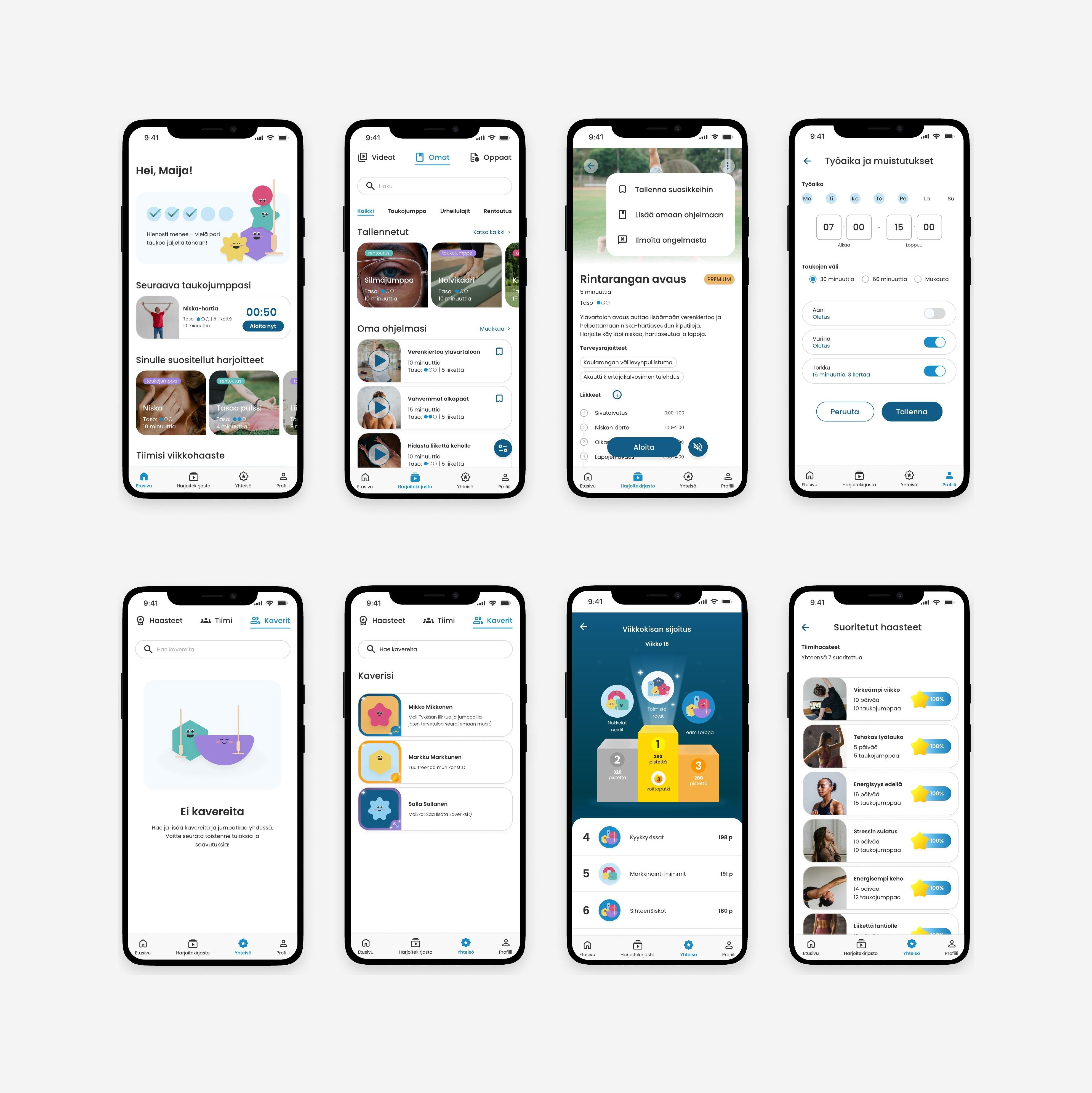
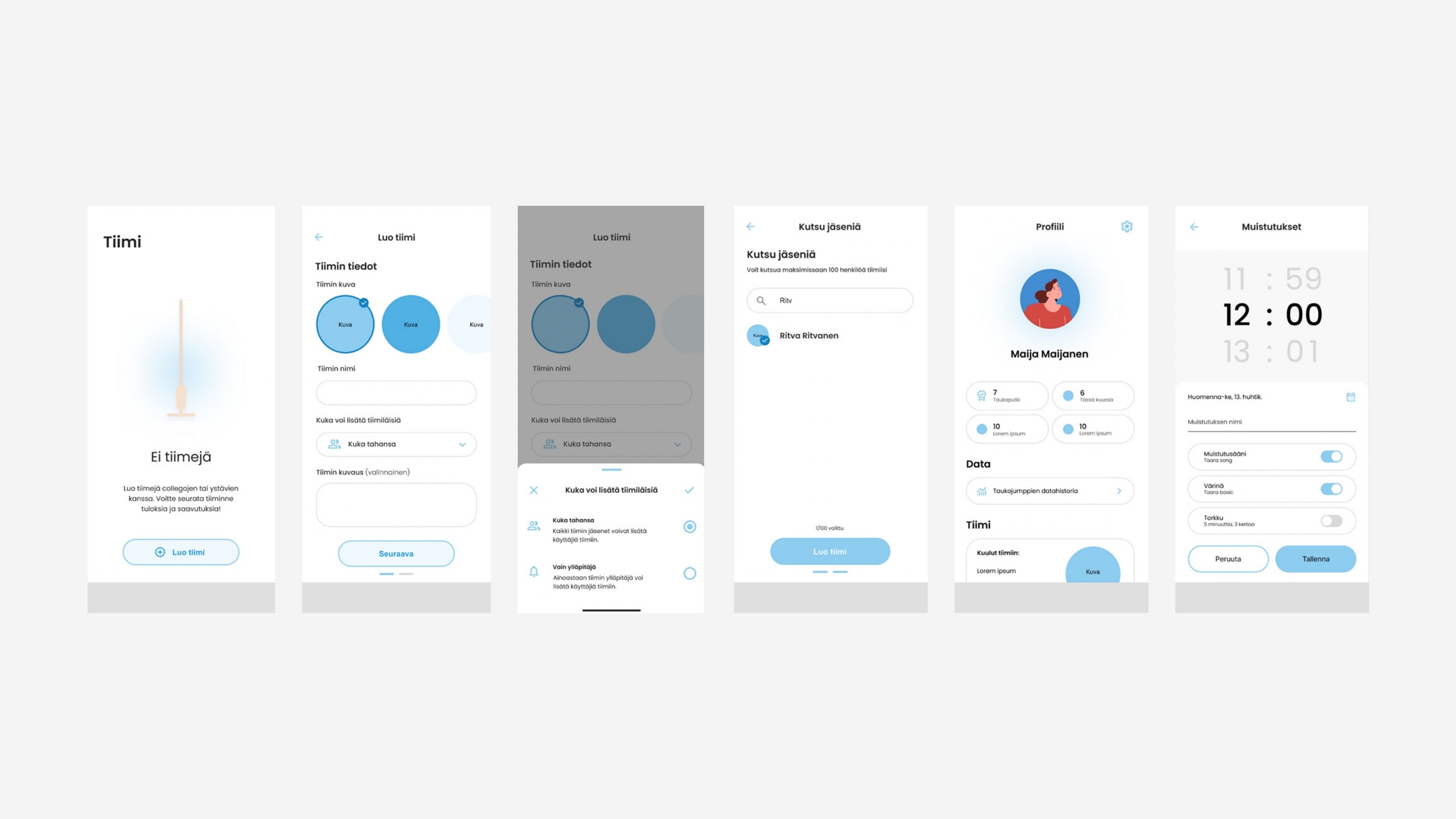
The first application screens brought the concept into a concrete interface, exploring layout, hierarchy, navigation, interaction and the beginnings of the visual language.
User testing
Five test users participated in user testing, where they completed four tasks involving various app features. We tested aspects such as navigation clarity, setting reminders, usability of the exercise library, the video interface for the Taara exercise stick, and overall usability and visual design.
Along with the tasks, users filled out background information and prototype evaluation forms. The test sessions were recorded with two cameras, and additional notes were taken during the process.
Summary of results — scale 1–5
- App interest
- 4.4
- Visual consistency
- 4.2
- Ease of use
- 3.8
- Structural clarity
- 4.0
- Likelihood of future use
- 4.2
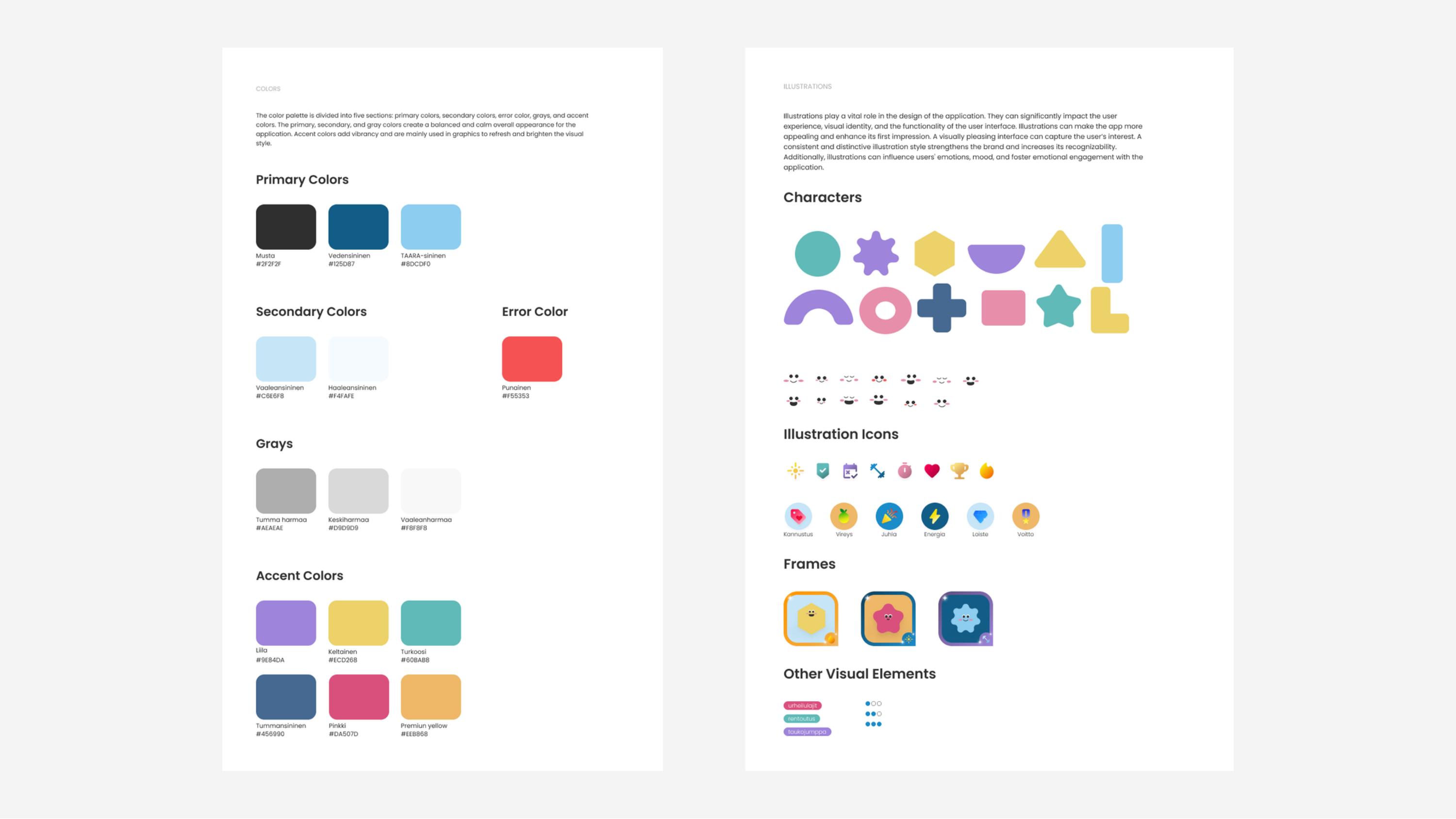
Design system
Developing a visual system helped establish consistency across the application and provided a shared foundation for the interface.
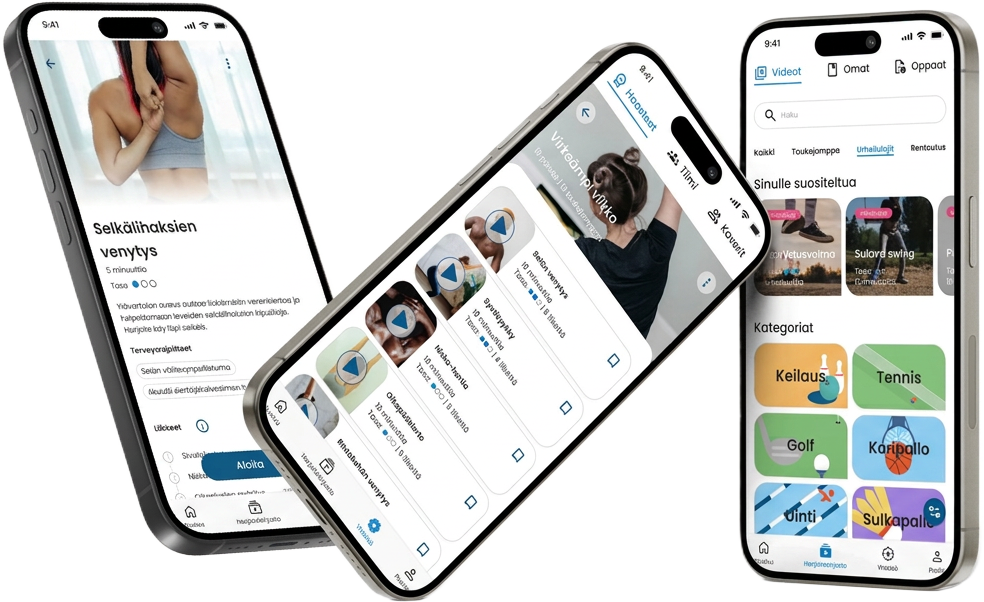
Final product
The final interface brings together the UX structure, visual direction and design system into a cohesive mobile experience.