E-Library
- Role
- UX/UI Designer
- Project type
- Website design
- Tool
- Figma
- Focus
- UX/UI DesignInformation ArchitectureVisual Design
Introduction
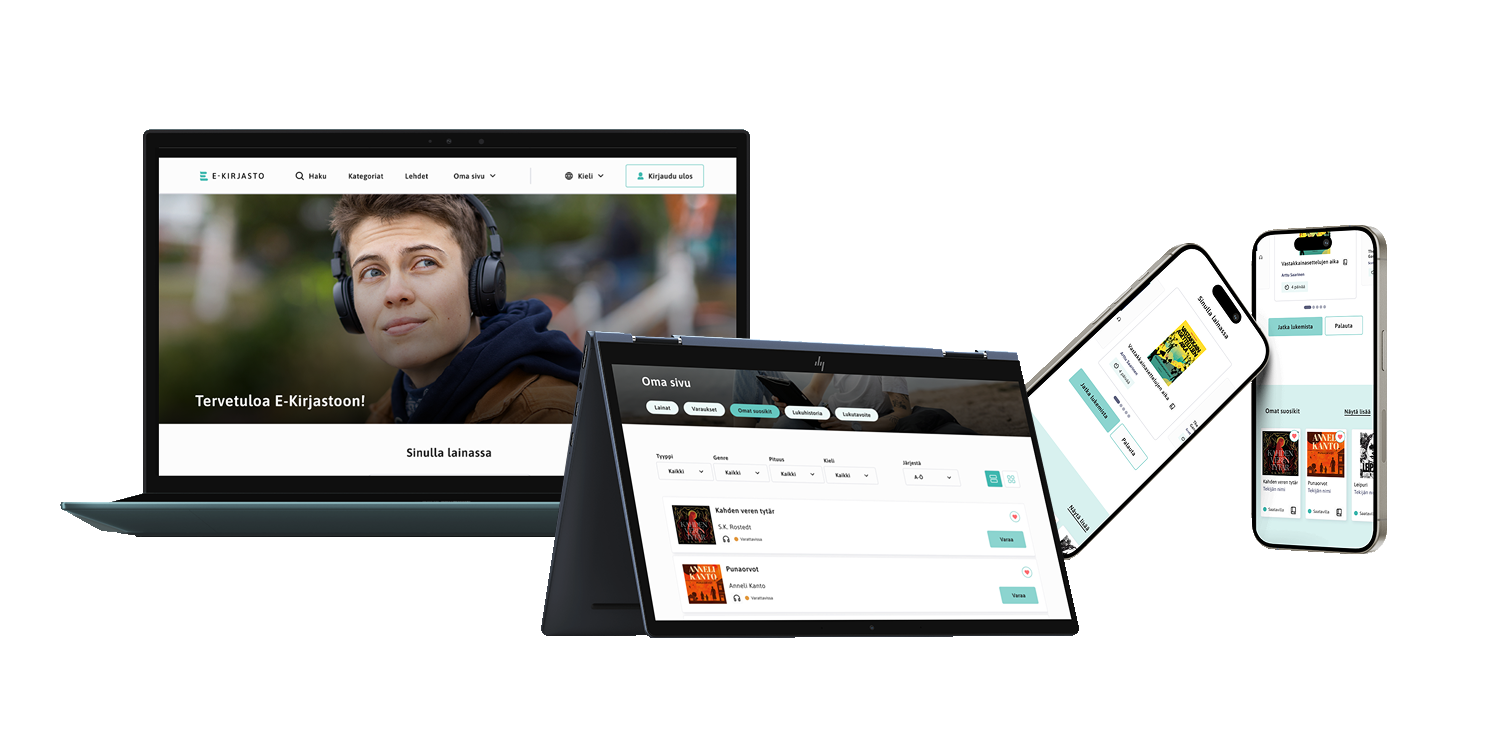
E-Library is a digital library concept focused on creating a clear and accessible experience for discovering and reading digital content.
The project explored how the structure, navigation and visual design of a digital library could work together to create a straightforward and engaging user experience.
Design goals
Accessible experience
Create a digital library experience that is clear and easy to navigate.
Content discovery
Make it easier for users to browse, discover and access digital content.
Clear information hierarchy
Organise information in a way that helps users understand the available content and actions.
Project goals & challenges
The project focused on designing a digital library experience where users could move between discovering content, selecting a title and accessing the content itself.
One of the main challenges was creating a clear structure for a service containing different types of information and actions. The interface needed to communicate content, navigation and functionality clearly while maintaining a consistent visual language.
User journey
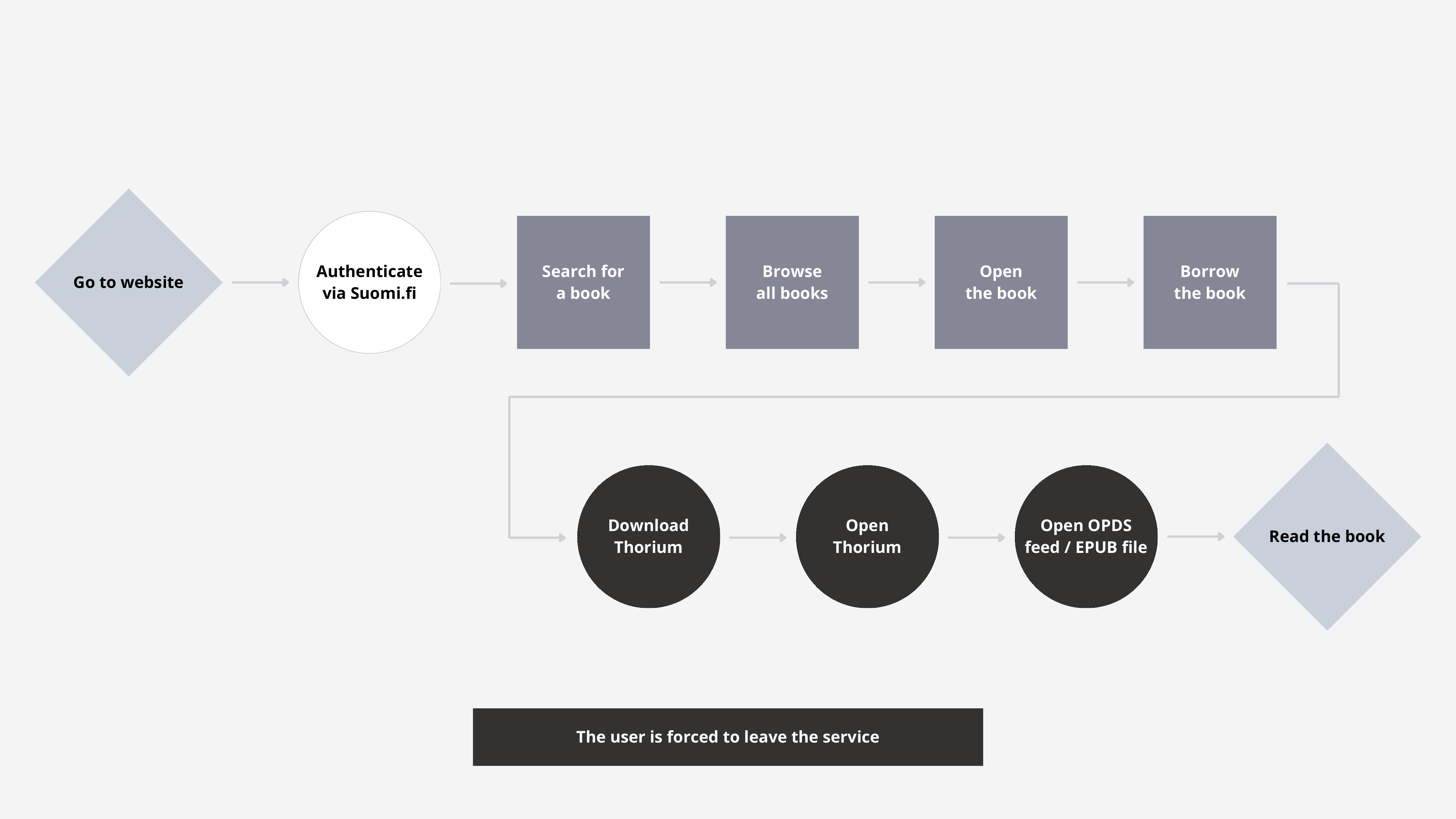
Mapping the user journey helped explore how a user could move through the E-Library experience, from discovering content to interacting with individual titles.
Designing the experience
After exploring the user journey and information structure, the next step was translating these insights into an interface concept. The design focused on making the main actions and content categories easy to understand while creating a consistent visual experience across the service.
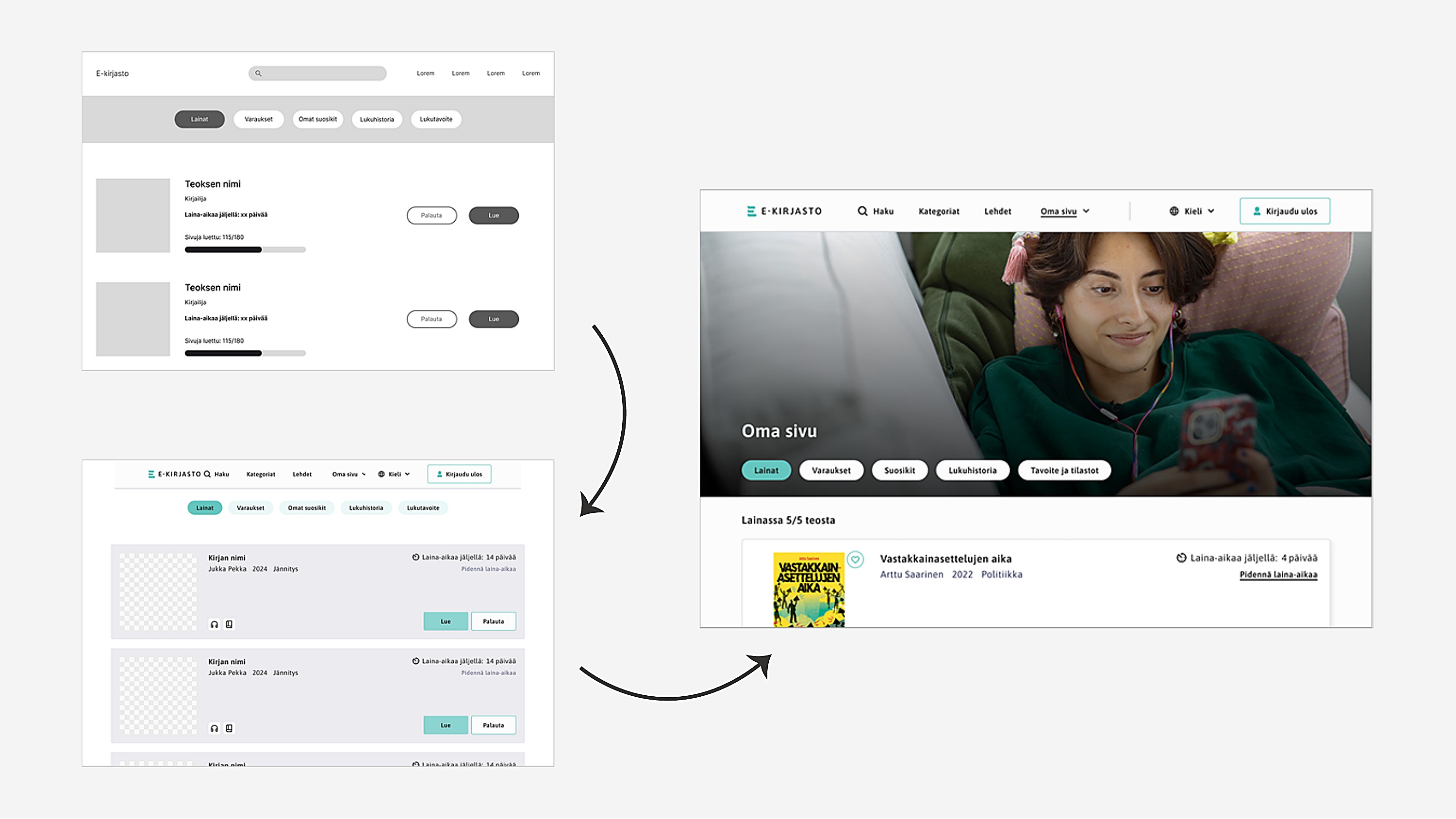
From structure to interface
The initial concepts focused on creating a clear structure for browsing, discovering and accessing digital content. Different layout and navigation solutions were explored before developing the final interface. The wireframes helped establish the foundation for a consistent and accessible experience across different screen sizes.
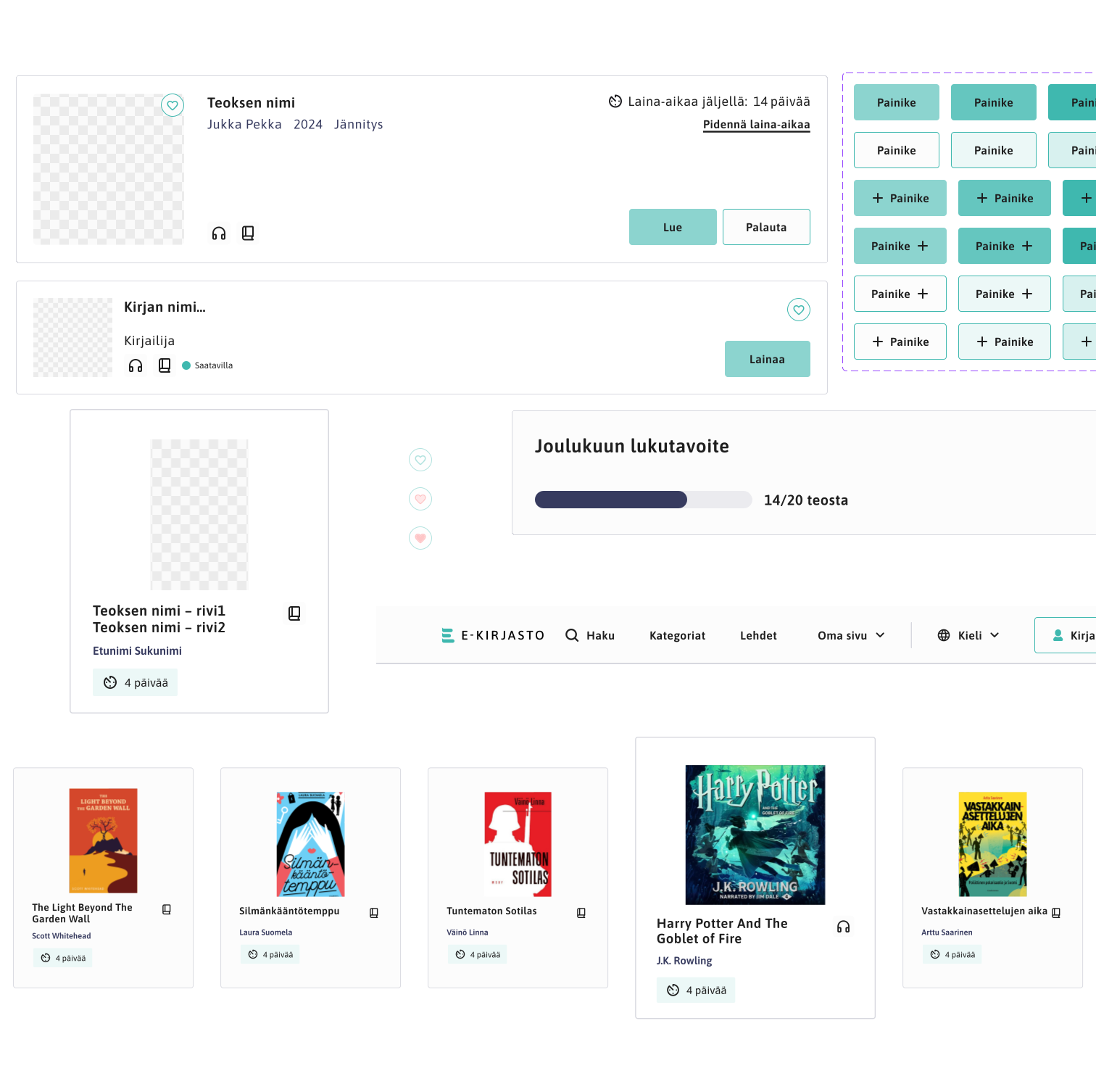
Design details
Typography
Type scale and weight used to separate titles, labels and body content.
Colour
A restrained palette applied to backgrounds, actions and highlights.
Spacing
Consistent spacing to give content room and group related elements.
Hierarchy
Layout and scale used to guide attention through each view.
Navigation
Persistent navigation to move between content categories and views.
Content presentation
Covers, titles and descriptions presented in a consistent format.
Interaction
Clear states for the main actions available in each view.
Consistency
Repeating components applied across the service.
Final product
After exploring the user journey, structure and visual direction, the final interface brought the different parts of the concept together into a cohesive E-Library experience.
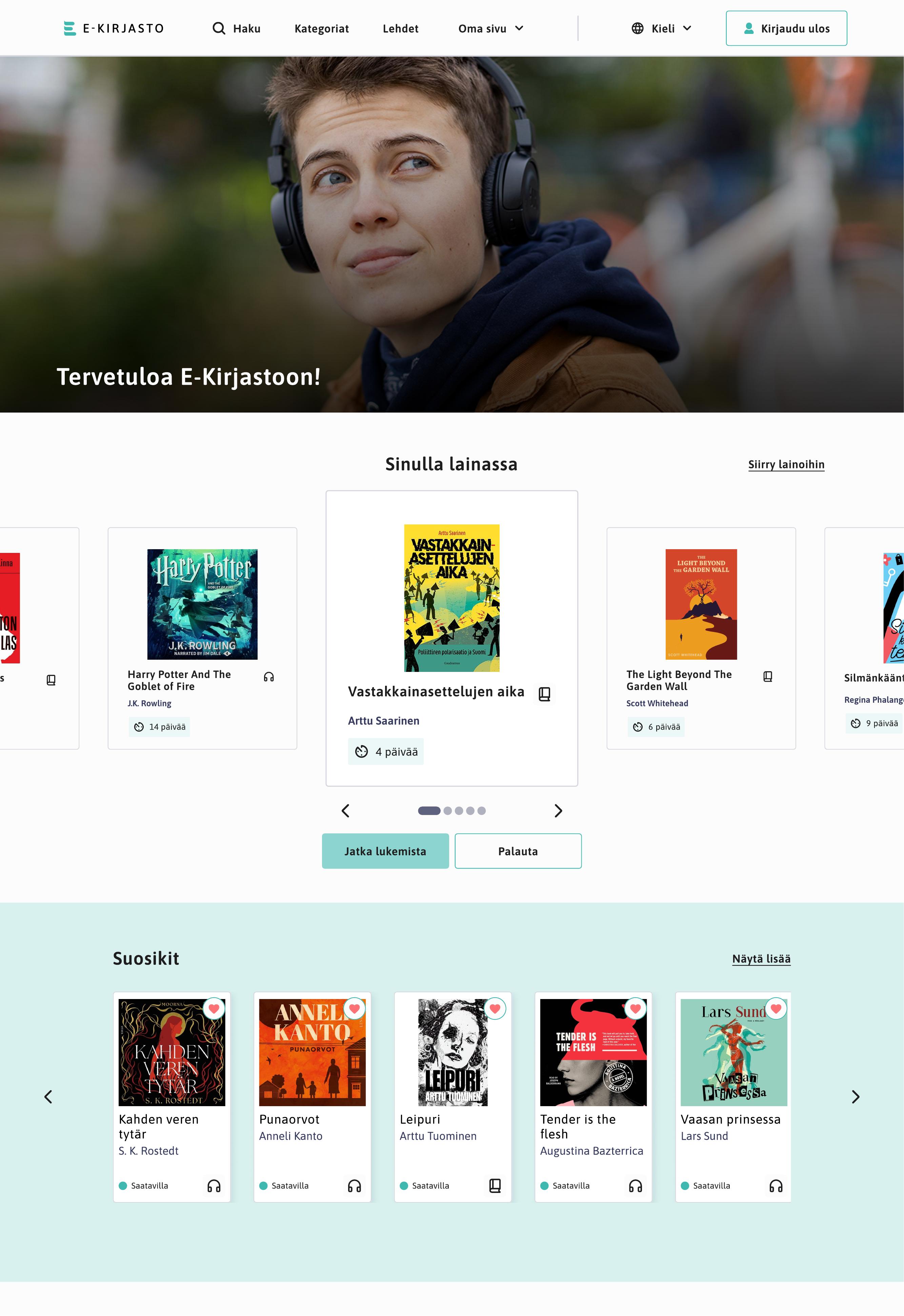
Home / front page
The starting point of the E-Library experience, introducing the available content and main navigation.
Content / book discovery
A content-focused view designed to support browsing and information discovery.
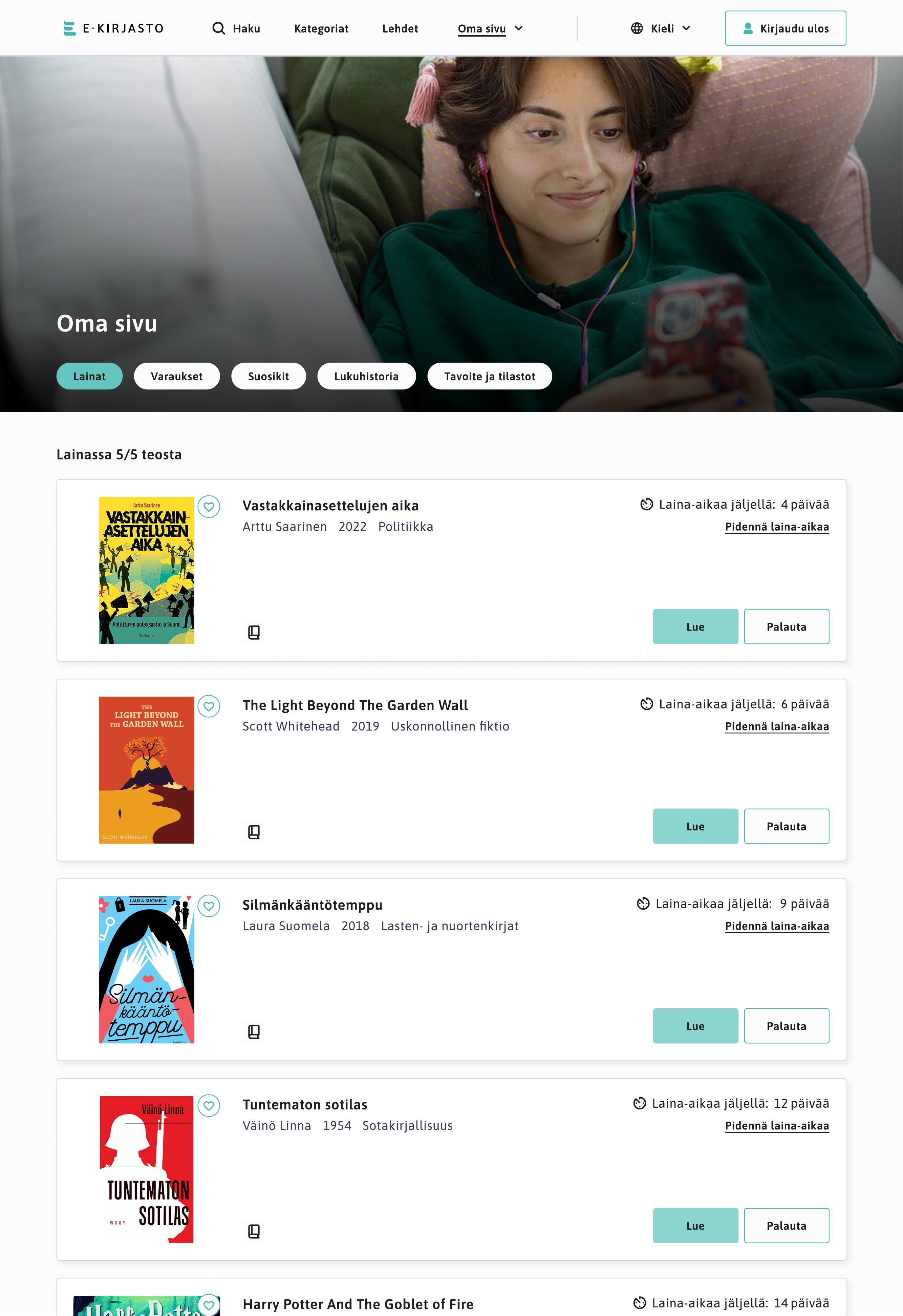
Content detail / reading experience
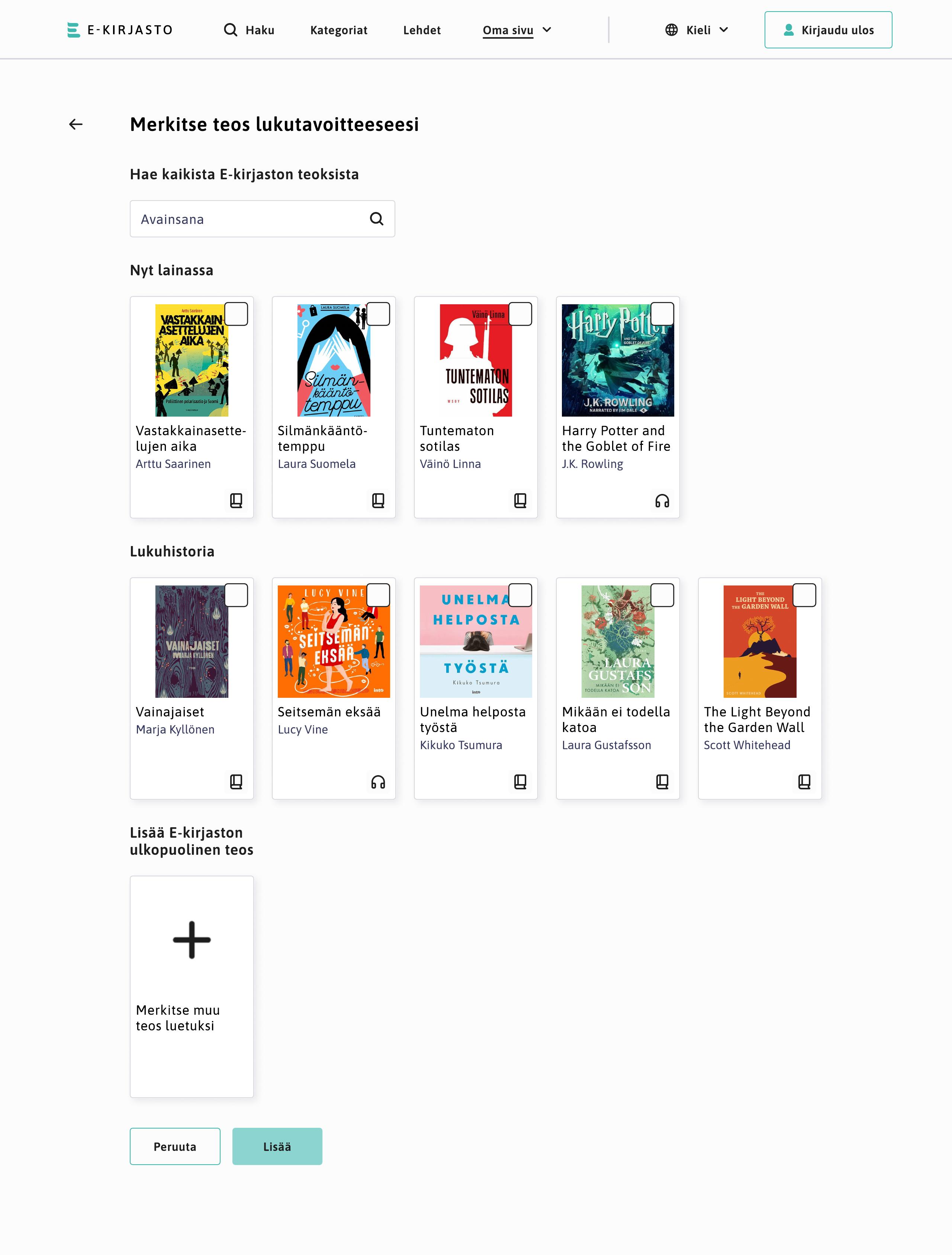
A detailed content experience gives users the opportunity to set and track reading goals.